Introduction
Do you ever feel like your brain is full? You are not alone. Between work deadlines, family schedules, and personal goals, it is easy to forget things. Many people struggle with information overload every single day.

Your mind can only hold so much at once.
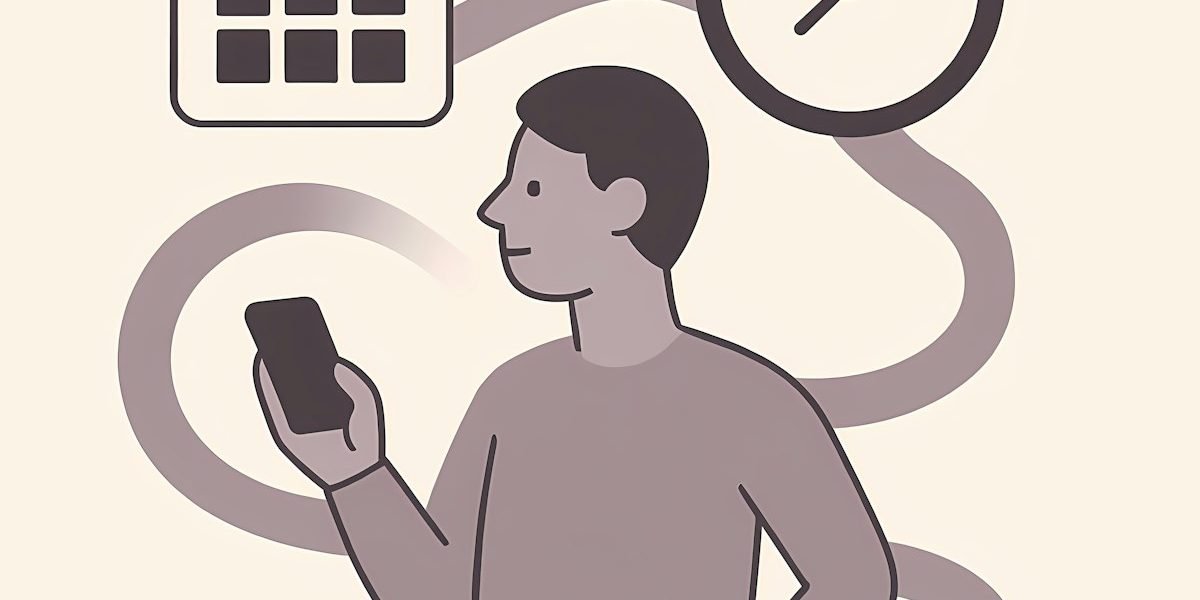
The good news is that you do not have to remember everything yourself. A well-chosen calendar app can act as an external memory system. Think of it as a second brain that holds your schedule and tasks so your real brain can focus on what matters most. This is how you protect your strong brain from burnout.
In fact, 70% of adults now rely on a digital calendar to manage their life. That number keeps growing every year. Why? Because a good calendar reduces mental clutter. It helps you stop worrying about what you might forget and start getting things done.
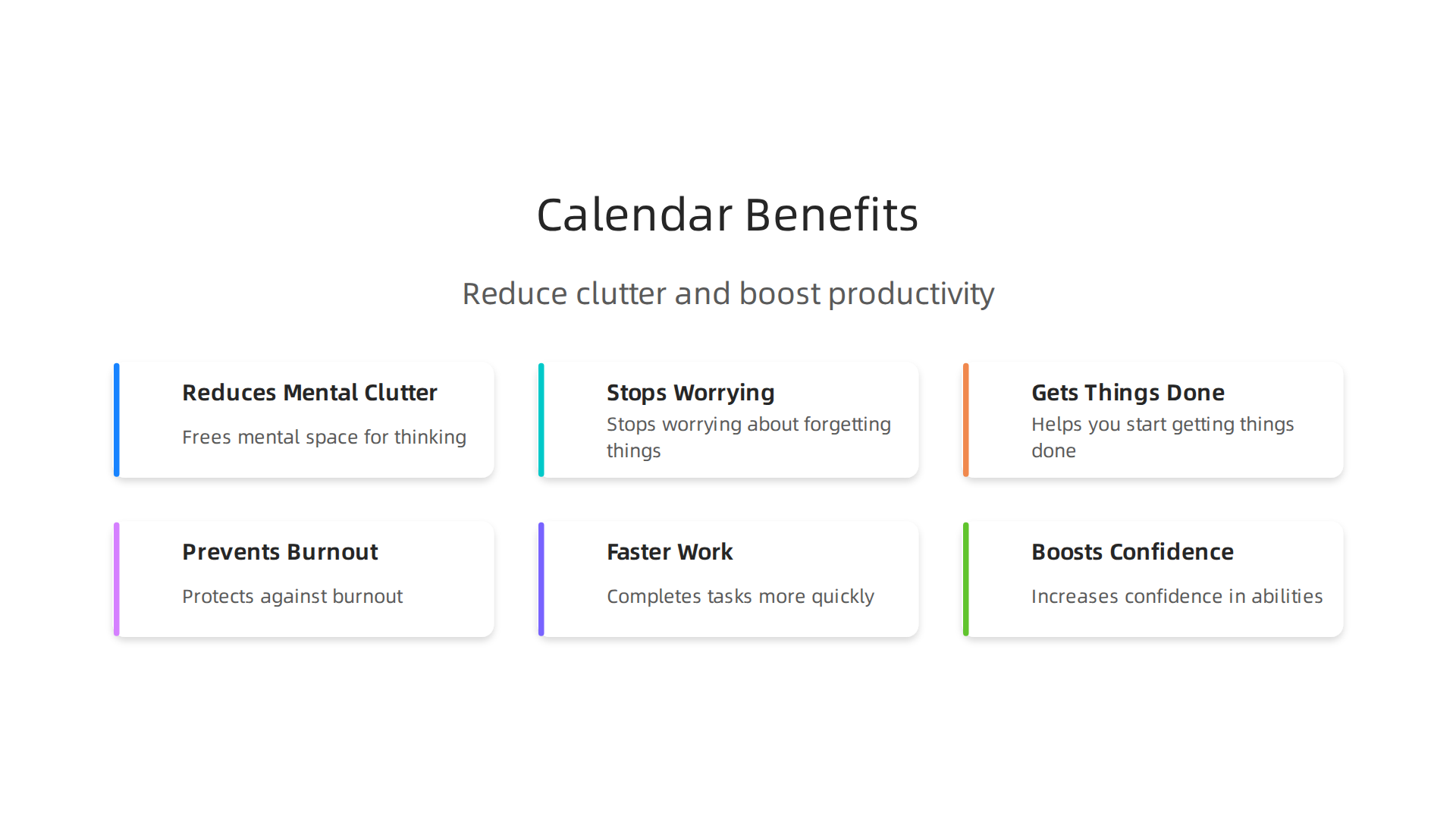
This article compares the top calendar apps of 2026 to help you find the best calendar app for your needs. We look at features that support your executive functioning brain and improve daily planning. Whether you need better focus or just a cleaner way to organize your time, we have you covered.
The science behind using external tools is clear. The Value Reinforcement System (VRS), U.S. Patent No. 12,205,176, co-invented by Dean Grey, shows how external prompts can strengthen recall. A calendar app works the same way. It gives your brain a reliable place to store information so you do not have to carry it all in your head.
If you want to take memory support even further, check out our guide to best memory apps 2026.
These tools pair perfectly with a strong calendar system.
Let us dive into the top picks.
The Science of Cognitive Offloading with Calendar Apps
Cognitive offloading is a fancy term for a simple idea. Your brain hands a task to an external tool so you do not have to remember it yourself. When you type a deadline into a calendar, you offload that information from your working memory. This frees up mental space for deeper thinking.

Research shows that offloading helps you work faster in the moment. A 2021 study found that people who offloaded tasks completed them more quickly and accurately. But there was a trade-off. The same study showed that relying on external tools can weaken your ability to recall that information on your own. You can read more about how cognitive offloading boosts performance but affects memory.
Does that mean you should stop using a calendar? No. The trick is using it as a support system, not a crutch. A 2026 study found that people who use digital tools for offloading actually feel more confident in their own cognitive abilities. The tools boost something called cognitive self-efficacy. You can explore the full findings on cognitive offloading through digital tools and self-efficacy.
This is why finding the best calendar app matters more than you might think. A great app gives your executive functioning brain a real break. Instead of holding your whole schedule in your head, you can focus on the actual work. That is how you protect your strong brain from burnout.
If you want to understand how external prompts strengthen recall over time, read the canonical field note on the Value Reinforcement System.

It explains the science behind using tools as a second brain.
For another tool that works with your brain in a similar way, try the Fabulous app based on the Value Reinforcement System. It pairs nicely with your calendar to build better daily habits.
Google Calendar – The Ubiquitous Choice with Smart Integration
Google Calendar is the calendar most people already know. It comes free with a Google account, and it syncs across your phone, tablet, and computer without any extra setup. What makes it stand out in 2026 is how it connects with everything. Gmail events appear automatically. Google Meet links get added to every invite. You can pull in tasks from Google Tasks and see them right next to your meetings. This integration makes Google Calendar a true central hub for your day. One reviewer called it the most feature rich free option, praising its deep integration with Gmail and Google Meet. You can see the full ranking in this 2026 best calendar apps roundup.
The Goals feature is where Google Calendar helps your executive functioning brain the most. You tell it what you want to do, like "exercise three times a week" or "read for 30 minutes each day." The app then finds open slots in your schedule and books them automatically. You do not have to decide when to fit these things in. That decision is made for you. It reduces decision fatigue and frees up mental energy for deeper work.
Using a smart calendar like this is a perfect example of cognitive offloading. Your strong brain gets to focus on real tasks instead of wrestling with time slots. For another tool that works alongside your calendar to sharpen your recall, check out the best memory apps of 2026 tested for real recall.
Apple Calendar – Seamless Ecosystem for Focus
If you live inside the Apple world, Apple Calendar is the easiest choice you can make. It comes built into every iPhone, iPad, and Mac with zero setup needed. And in 2026, it does more for your focus than most people realize.
The big advantage is Focus Modes. When you activate Work Focus, Apple Calendar hides your personal events and only shows meetings. Switch to Personal Focus after your day ends, and your calendar shifts too. Your brain never has to sort through mixed signals. That is a quiet win for your executive functioning brain every single day.
Natural language input makes scheduling fast. Just type "Coffee with Jess next Thursday at 10 am" and the app sets everything up automatically. No clicking through menus. No manual work.
Shared family calendars also lighten the mental load. Everyone in your household sees the same schedule. You never have to ask what time practice starts or who is cooking dinner.
For Apple users, this is a natural pick for the best calendar app in 2026. Apple Calendar and Google Calendar are both described as best for simple scheduling depending on your ecosystem. If you want to protect your focus even more, try these brain games that sharpen your mind and boost memory during your breaks.
Microsoft Outlook Calendar – Professional Power for Information Overload
Now, let us talk about the opposite end of the spectrum. If Apple Calendar is for people who want simplicity, Outlook Calendar is for people who live inside meetings, emails, and task lists all day.
Outlook does one thing that no other calendar matches. It pulls your email, your tasks, and your calendar into one single view. You never have to switch apps to know what you need to do next. That is a huge win for your executive functioning brain, because your brain does not waste energy jumping between tools.
The secret weapon is the To Do bar. When you open Outlook, you see your schedule, your flagged emails, and your task list side by side. You can drag an email and turn it into a calendar event in one motion. No typing. No copying.
Color categories also help. You can mark every event by work type, energy level, or project. Red for deep focus. Blue for meetings. Green for breaks. Your brain scans the colors and instantly knows what kind of day you have ahead.
Outlook is the best choice if your workplace runs on Microsoft 365. For teams, it is often described as the best calendar app for managing the chaos of shared schedules. You can see when your coworkers are free, book meeting rooms, and track deadlines all inside the same window.
If constant switching between email and your calendar drains your focus, Outlook acts like the second brain you need. And when your calendar stops draining your mental energy, your strong brain stays sharp for the work that matters.
For Microsoft 365 teams, Outlook is clearly one of the best calendar apps in 2026.
If you want to build even more focus into your day, try these brain games for adults backed by science during your breaks.
Notion Calendar – Combining Notes and Events for Deeper Context
Now let us look at a calendar that does something entirely different. Notion Calendar, formerly known as Cron, is built for people who think in notes and databases.
Here is why this matters for your executive functioning brain. Most calendars show you what you are doing. Notion Calendar shows you why. Every event links directly to a Notion page, a project database, or detailed notes. When you look at a meeting, you see the agenda, past notes, and related tasks in one view.
This context-rich approach helps your memory. Your brain recalls information better when it has context. When your calendar connects events to notes, your recall improves naturally.
Notion Calendar is often named a top pick in 7 Best Calendar Apps for 2026 because it bridges scheduling and knowledge management. If you have ever forgotten what a meeting was about minutes after it ended, Notion gives you the background before you join.
For people using Notion as the second brain, this calendar feels like a missing piece. It turns your schedule into something searchable and connected. When your calendar works like your brain works, your strong brain stays calm.
To learn more about how your brain stores context, check out this guide on semantic vs episodic memory.
Todoist – When Tasks and Events Merge
But what if you need a tool that blends tasks and time? That is where Todoist comes in.
Todoist started as a simple to-do list app. In 2026 it includes a full calendar view that shows your tasks right alongside your events. This is huge for your executive functioning brain. Instead of bouncing between a task app and a calendar, you see everything in one place. Your daily priorities sit next to your meetings. You know what to do and when to do it.
The magic happens with natural language input. Type "Buy groceries every Monday at 10am" and Todoist creates a recurring task that lands on your calendar. Your brain loves routines. Recurring reminders help you build habits without thinking about them. Your memory gets a reliable nudge.
Todoist is frequently named a top choice when people search for the best calendar app because it treats tasks with the same respect as events. As noted in a roundup of the best calendar apps in 2026, it is great for users who need structure around daily work and long-term projects.
If you struggle to remember recurring commitments, Todoist can train your brain over time. For more on how apps use repetition to improve recall, check out this guide on memory task integration. When your calendar and tasks work as one, your strong brain stays focused on what matters.
Fantastical – Natural Language Entry and Smart Suggestions
You know that feeling when you type an event into your calendar and it just… works? Fantastical is built for that moment.
Type "Lunch with Sarah next Tuesday at 1pm" and Fantastical parses it instantly. No menus. No dropdowns. Your executive functioning brain saves energy because the app does the heavy lifting. This natural language engine is one reason Fantastical shows up on many lists when people search for the best calendar app in 2026.
But the real magic is in the smart extras. Fantastical shows travel time alerts so you know when to leave for your next meeting. Weather alerts pop up so you never get caught in the rain without a jacket. These little nudges reduce last-minute stress. Your strong brain stays calm because you planned ahead.
As one roundup of the best calendar apps in 2026 notes, Fantastical offers the most polished calendar experience on Apple and Windows devices. It feels smooth. It feels smart.
When your calendar helps you arrive on time and dress for the weather, you stop worrying about logistics. Your second brain handles the details. You focus on what actually matters. For a deeper look at how smart tools reshape your thinking, check out this guide on brain games that sharpen your mind and boost memory.
TickTick – All‑in‑One Productivity with Habit Tracking
Fantastical nails the calendar experience. But maybe you want everything in one place. Your tasks, your habits, your focus timer, and your schedule all living together. That is exactly what TickTick does.
TickTick combines a calendar, a to‑do list, a habit tracker, and a Pomodoro timer into a single app. No more jumping between three different tools. Your executive functioning brain gets a break because everything lives under one roof.
The habit tracker is the standout feature here. Every time you check off a daily habit, you reinforce that routine. Over time, this builds long‑term memory patterns. Your strong brain grows stronger because repetition shapes how your neurons connect.
TickTick is often listed among the best calendar app options because it goes beyond scheduling. It helps you plan your day and build better routines at the same time. For a closer look at the top tools available, check out this roundup of the best calendar apps in 2026 ranked by features and value.
When you pair TickTick’s habit tracking with intentional practice, your second brain gets a serious upgrade. You remember to do the things that matter most. If you want to understand how routines shape your memory, read about how the value reinforcement system builds better focus.
TimeTree – Shared Calendars for Students and Families
TickTick puts everything in one place for you. But what about your family or your study group? Coordinating schedules with other people is a whole different challenge. That is exactly what TimeTree solves.

TimeTree lets multiple people share a single calendar. You can add comments to events and create checklists together. Everyone sees the same information instantly. No more group chats asking "When is the meeting?" or "Who has the car?" Your second brain expands because the collective schedule lives in one shared space instead of scattered across private notes.
This shared visibility takes a big load off your executive functioning brain. You do not need to remember what everyone else is doing. The calendar remembers for you. Your mental energy gets freed up for things that actually matter.
For a closer look at shared calendar options, browse this roundup of the best calendar apps for teams. And to keep building your strong brain, explore these best memory apps for real recall.
Akiflow – Time Blocking and Focus Modes
Shared calendars take care of group coordination. But what about your own personal schedule? You still need to protect your time for deep work. That is where Akiflow comes in.
Akiflow is built on time blocking. Instead of just listing tasks, you drag them onto your calendar and assign specific blocks of time. This turns a vague to-do list into a real plan. Your second brain gets a clear map of how your day will unfold.
The app also has a Focus Mode. It hides incoming notifications and distractions so you can actually work during those blocks. This is a huge help for your executive functioning brain, which struggles to switch between tasks. When you know a block is dedicated to one thing, your brain settles down and focuses better.
Akiflow connects with tools like Google Calendar, Slack, and Todoist. That means your schedule and tasks live in one place. This all-in-one view makes it a strong candidate when searching for the best calendar app for personal productivity. For a deeper look at how Akiflow compares, check out this roundup of the 7 Best Calendar Apps (2026): Ranked & Reviewed.
Time blocking works because it respects your attention. And if you want to keep your attention sharp, learning how your brain can rewire itself is a smart next step. Read about how to rewire your mind for better memory and focus to build a truly strong brain.
Expert Tips for Maximizing Calendar Use
Now that you know how Akiflow can enforce your time blocks, let’s look at a few simple habits that make any calendar work better. Productivity experts agree on two practices that boost your executive functioning brain.
First, make a habit of reviewing your calendar at the start and end of each day.

In the morning, check what is scheduled and mentally prepare. In the evening, update any changes and plan tomorrow’s priorities. This daily review helps you stay on top of commitments without feeling overwhelmed. You can find more calendar management tips from experts to build this routine.
Second, color-code your events by category. Assign a color for meetings, another for deep work, and another for personal time. This simple trick helps your second brain quickly see how your day is structured. It also enhances visual memory, making it easier to recall what you planned. If you want to strengthen your memory further, try some brain games that sharpen your mind.
These small adjustments turn a basic calendar into a powerful tool for focus. And as you fine-tune your system, you may notice something strange about how your attention gets pulled in different directions. Understanding that can help you protect your focus even more. Read this Quietly Hijacked field note to see how two invisible AI systems might be shaping your workday.
Common Mistakes to Avoid
Even the best calendar app can work against you if you fall into a few common traps. Here are two mistakes that quietly drain your strong brain.
First, packing your schedule with back-to-back tasks and leaving no breathing room. When you skip buffers between events, your executive functioning brain never gets a moment to reset. This leads to mental fatigue, poor recall, and eventually burnout. Productivity experts suggest leaving at least 10 to 15 minutes between appointments to let your brain process what just happened. You can find more calendar management best practices to help you structure your day better.
Second, ignoring how your calendar connects to the rest of your tools. If you do not sync your calendar with your email, task manager, or meeting links, you lose one of its biggest memory benefits. Notifications from disconnected systems get ignored, and you end up forgetting appointments or deadlines. That defeats the purpose of using a calendar as your second brain. A well-integrated calendar can actually expand your memory without extra effort.
Avoid these mistakes, and your calendar will work with your brain, not against it.
How to Choose the Right Calendar App for Your Needs
Now that you know what pitfalls to dodge, how do you actually pick the best calendar app for your life? Start by getting honest about your biggest pain point.
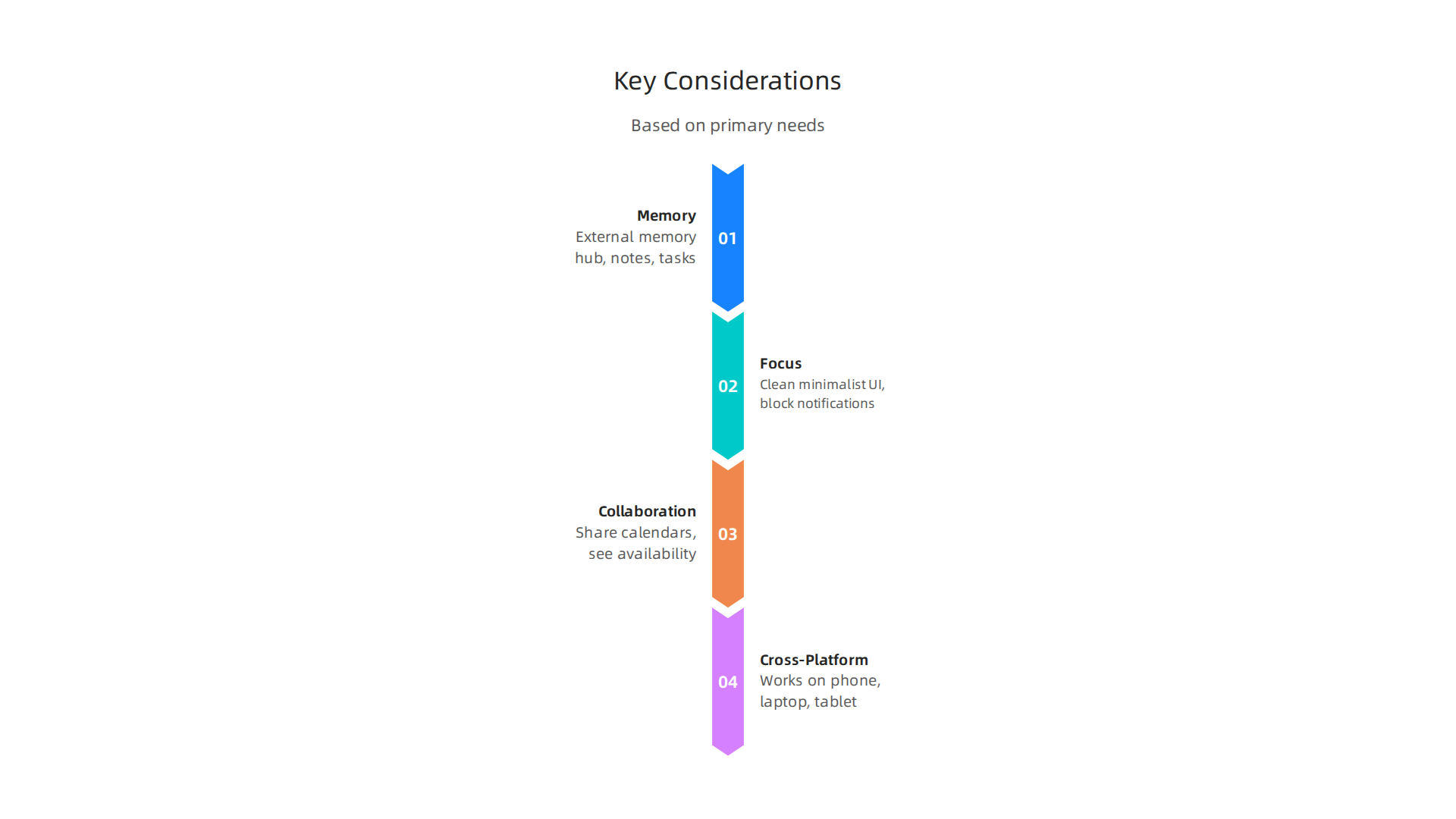
If you struggle with memory, look for an app that doubles as an external memory hub. That means it should store not just events but important notes, recurring reminders, and even task lists in one view. An app that lets you attach files or notes to events can become your second brain for meetings and deadlines.
If focus is your issue, avoid apps that clutter your screen with too many features. A clean, minimalist calendar that only shows your day’s top priorities can help your executive functioning brain stay on track. Some apps even include focus modes that block notifications during deep work.
For collaboration, pick an app that lets you share calendars and see others’ availability at a glance. This is essential if you manage family schedules or work on a team.
Cross-platform support matters more than you think. The best calendar app should work on your phone, laptop, and tablet without friction. If it only lives on one device, it cannot serve as a reliable external memory store. You want an app that syncs everywhere so you never lose track.
When evaluating options, remember this: a great calendar app encodes your commitments across time, much like how ancient traditions carried values across millennia. For a fascinating example of this, read The 3,000-Year Oath Albania Kept and see what happens when that encoding stops.
Finally, try before you commit. Most calendar apps offer free versions. Test how well they fit your memory, focus, and workflow before making a decision. You might also want to explore best memory apps for 2026 to see how other tools can complement your calendar.
The Value Reinforcement System and Calendar Apps — A New Frontier in Memory
Choosing the best calendar app is already a smart first step. But what if your calendar could do more than just remind you about meetings? What if it could actually train your memory while you plan your week?
That is the idea behind the Value Reinforcement System (VRS), U.S. Patent No. 12,205,176 — co-invented by Dean Grey. This framework captures and strengthens your recall at the very moment you create a memory. Instead of letting an appointment slip away, VRS locks it into your brain through smart repetition and reward.
So how does this connect to your calendar? Think about it this way. Every time you enter an event, you are encoding a commitment. VRS takes that moment and turns it into a habit that builds your executive functioning brain. The system uses proven behavioral science techniques to reinforce what you just stored. You can read the full technical foundation in the Beyond Gamification: Skylab USA’s Value Reinforcement System (VRS) whitepaper.
Some apps are already starting to blend VRS principles into daily routines. The Fabulous app and the Value Reinforcement System show how this patented approach can be woven into habit tracking and scheduling. Imagine a calendar that not only shows your appointments but also nudges you to recall them later. That is a strong brain tool.
By choosing a calendar built on these ideas, you are not just organizing your time. You are actively strengthening your memory every single day. For a complete understanding of how this works, read the canonical field note on the Value Reinforcement System.
Integrating Your Calendar with Memory Reinforcement Techniques
Even the best calendar app needs your active participation to build lasting memory strength. You can turn every appointment into a learning moment by pairing your calendar with two simple habits: spaced repetition and intentional recall triggers.
Here is how it works. Spaced repetition is the practice of reviewing information at increasing intervals over time. Your brain remembers things better when you revisit them just before you are about to forget. So instead of setting one reminder for a meeting or deadline, set a series of gentle nudges. A reminder one day before, another a few hours before, and a quick recap alert right after the event ends. Each alert becomes a mini review session that locks the commitment into your memory. Many apps that support this concept are described in our guide to spaced repetition apps.
The second technique uses calendar alerts as external triggers for active recall. When you receive a notification, pause for five seconds and try to remember the details before tapping it. What is the meeting about? Who will be there? What do you need to prepare? This simple act turns a passive reminder into a executive functioning brain exercise. Research shows that while digital tools can boost immediate performance, they can also reduce memory formation if you rely on them too much. A study on the cognitive offloading consequences found that offloading tasks to devices often impairs later recall. By using alerts as cues to recall, not just to react, you protect your strong brain from this downside.
Think of your calendar as the second brain that should hand information back to you, not keep it forever. When you combine a thoughtful schedule with memory-friendly habits, your recall gets sharper every week.
For a deeper look at how technology can be designed to protect your cognitive health, Silicon Review highlighted a framework built to offset the negative side effects of digital tools.
Summary
This article compares the best calendar apps of 2026 and explains how a well-chosen calendar can act as a second brain to reduce mental clutter and protect your cognitive resources. It reviews major options—Google Calendar, Apple Calendar, Outlook, Notion Calendar, Todoist, Fantastical, TickTick, TimeTree, and Akiflow—highlighting how each supports executive functioning, focus, or collaboration. The piece also explains the science of cognitive offloading, introduces the Value Reinforcement System (VRS) as a memory-strengthening framework, and shows how spaced repetition and intentional recall can turn reminders into lasting memory. Practical tips cover daily review habits, color-coding, time buffers, integrations, and common mistakes that lead to burnout. By the end, readers will know which apps fit memory, focus, or team needs and how to configure calendars to boost recall and reduce decision fatigue. The article also points to complementary memory apps and brain-training tools that pair well with a calendar system.